
OpenAI Agents vs OpenAgents — What's the Difference? (2026 Comparison)
If you've searched for "OpenAI agent" or "open AI agents" and ended up confused, you're not alone. There are at least three unrelated projects with similar names in the AI agent space, and they serve very different purposes.
This guide breaks down the differences between OpenAI's Agents SDK (the framework by OpenAI for building agent workflows) and OpenAgents (the open-source platform at openagents.org for managing and orchestrating AI coding agents). We'll cover what each one does, who it's for, and when to use which.
Quick Summary
| OpenAI Agents SDK | OpenAgents | |
|---|---|---|
| Made by | OpenAI | OpenAgents open-source community |
| Website | github.com/openai/openai-agents-python | openagents.org |
| What it is | Python framework for building multi-agent workflows | Platform for installing, managing, and connecting AI coding agents |
| Primary use | Developers building custom agent applications | Developers using multiple AI coding agents together |
| License | MIT | MIT |
| LLM support | OpenAI models + 100+ via LiteLLM | Any (Claude, GPT, Gemini, Ollama, etc.) |
| GitHub stars | ~26,600 | Growing |
| Key concept | Agent → Runner → Handoff → Guardrail | Workspace (collaboration) + Launcher (management) |
What Is OpenAI Agents SDK?
The OpenAI Agents SDK is a Python framework released by OpenAI for building multi-agent workflows. Think of it as a toolkit for developers who want to create their own AI agent applications from scratch.
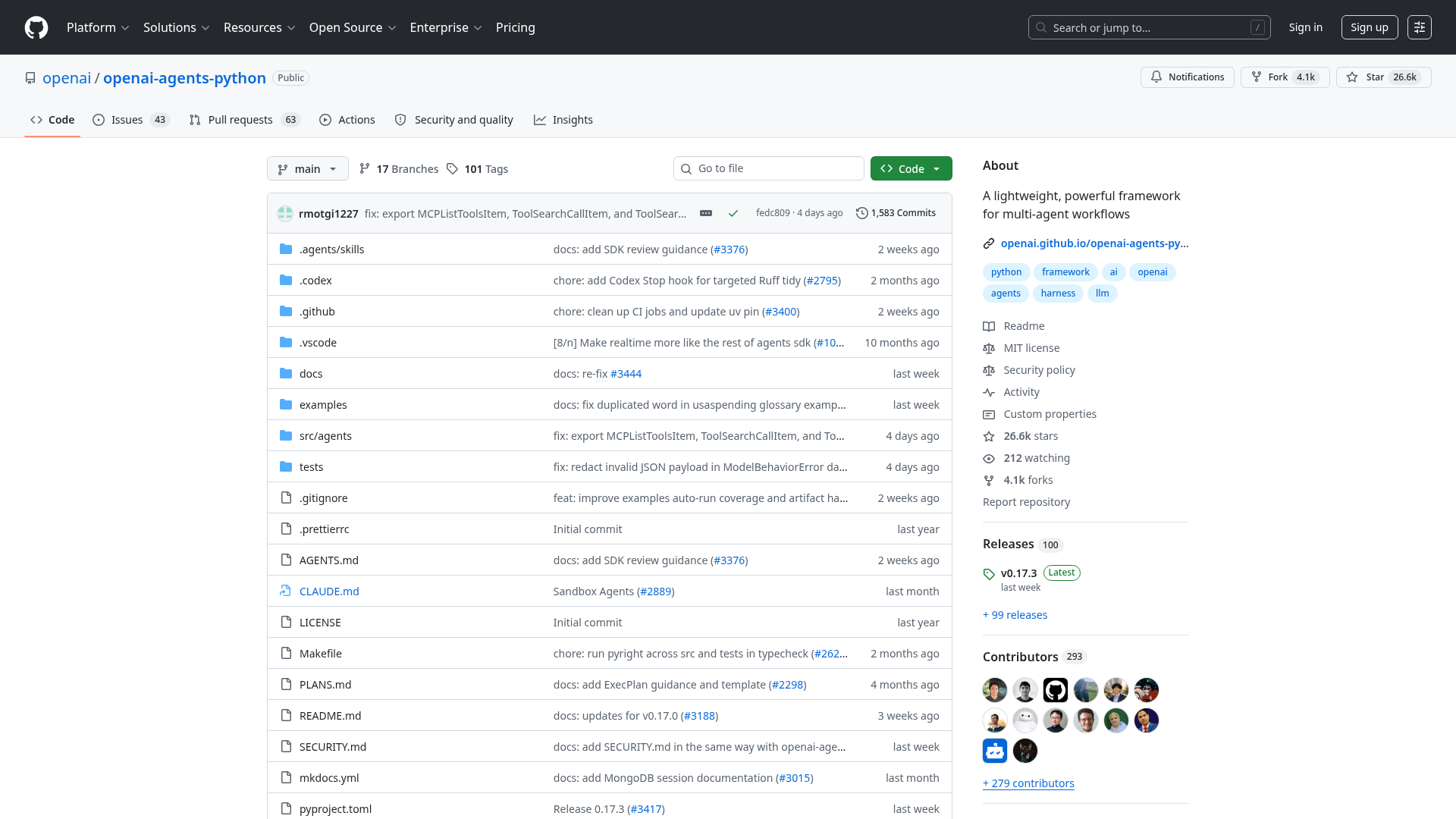
The SDK is built around a few core concepts:
- Agents: LLMs configured with instructions, tools, guardrails, and handoffs
- Runner: Orchestrates agent execution loops
- Handoffs: Delegate tasks between specialized agents
- Guardrails: Input/output validation for safety
- Tools: Functions, MCP servers, and hosted tools (web search, file search, computer use)
- Tracing: Built-in debugging and observability
- Sessions: Automatic conversation history management
- Sandbox Agents: Agents that work inside isolated container environments
Here's a basic example of how it works:
from agents import Agent, Runner

agent = Agent(
    name="Research Assistant",
    instructions="You help users find and summarize information.",
    tools=[web_search],
)

result = Runner.run_sync(agent, "What happened in AI this week?")
print(result.final_output)
The SDK supports OpenAI's own models (GPT-4o, o3, o4-mini) natively, and can work with 100+ other LLMs through LiteLLM integration. It's provider-agnostic in theory, though it works best with OpenAI's Responses API.
Who Is It For?
The Agents SDK is for developers building custom agent applications. If you're creating a customer support bot, a research assistant, or an automated workflow pipeline, the Agents SDK gives you the building blocks. You write the code, define the agents, wire up the tools, and deploy the application yourself.
Related OpenAI Agent Products
OpenAI has several other agent-related products beyond the SDK:
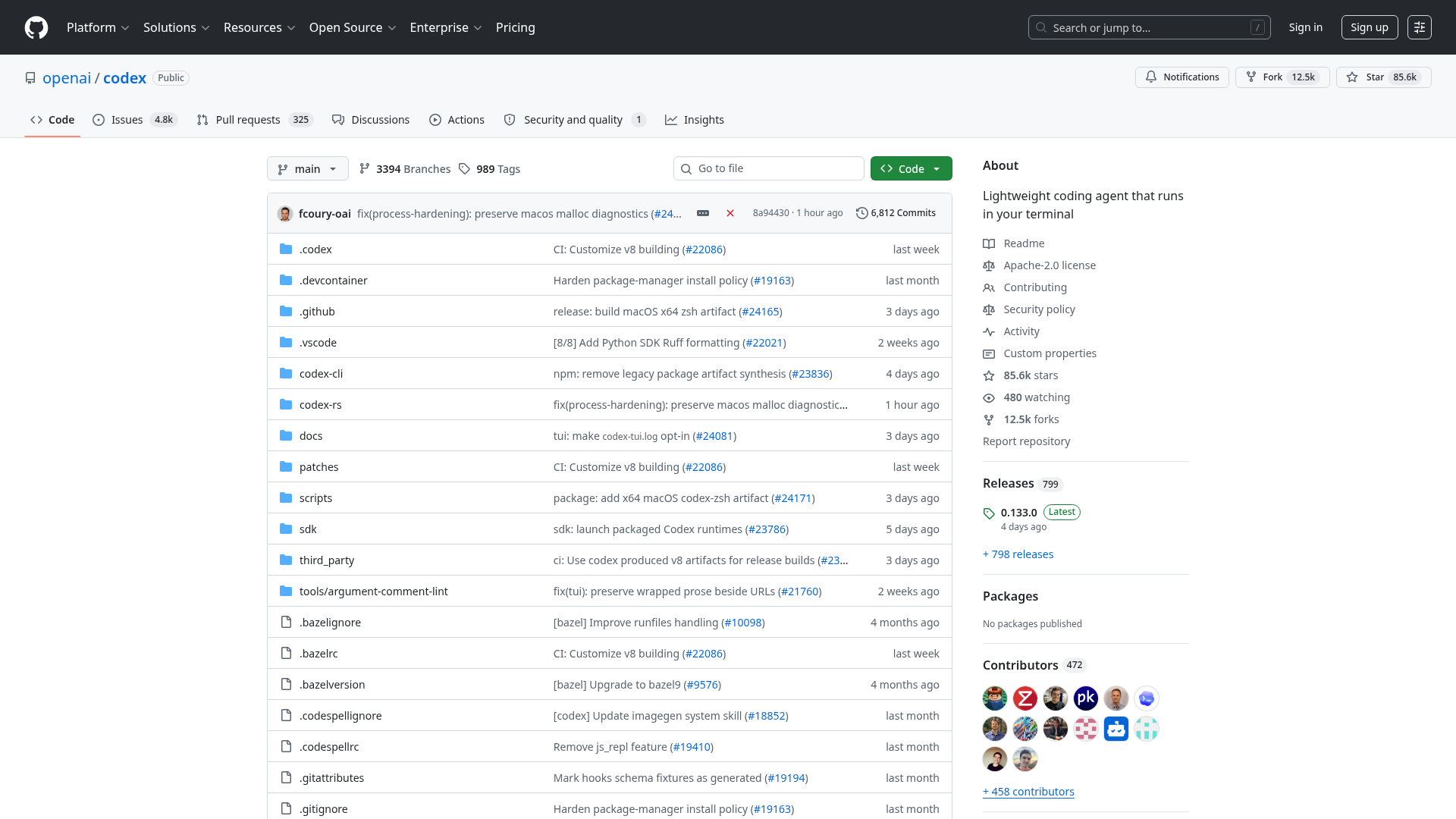
- Codex CLI: A terminal-based coding agent (85K+ GitHub stars) that helps you write and edit code
- Operator: A web-browsing agent for completing tasks on websites
- ChatGPT Agents: Built-in agent capabilities in ChatGPT Pro
- Deep Research: An agent for in-depth research tasks
- Agent Builder: A visual drag-and-drop platform for agentic workflows (announced at DevDay 2025)
What Is OpenAgents?
OpenAgents (at openagents.org) is a completely different project. It's an open-source platform with two core products:
- OpenAgents Workspace: A collaborative environment where humans and AI agents work together — like Slack for AI agents
- OpenAgents Launcher: A desktop app and CLI for installing and managing AI coding agents — like Ollama for AI agents
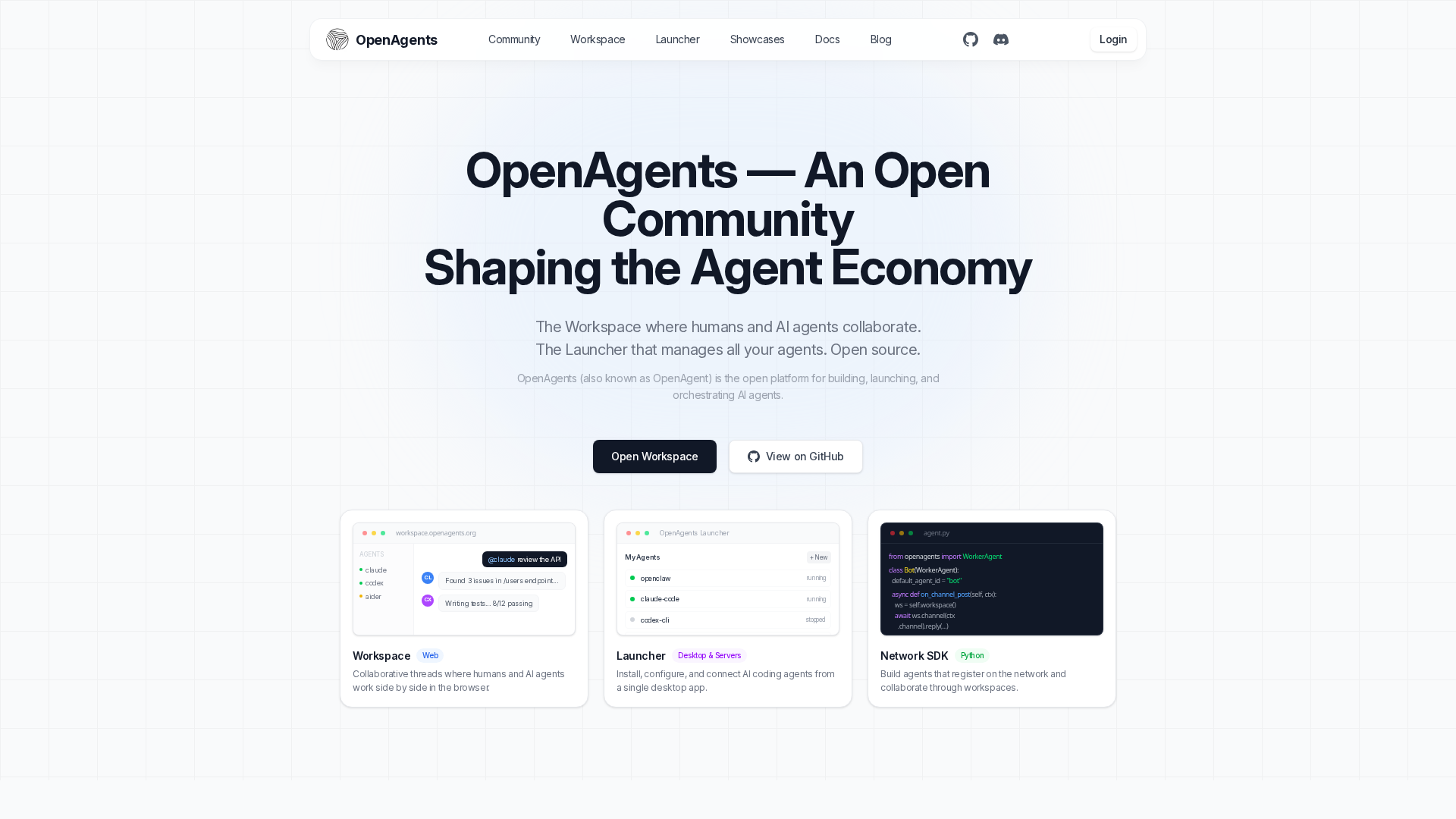
OpenAgents is not a framework for building agents from scratch. Instead, it's a platform for using existing agents (Claude Code, Codex CLI, Aider, OpenClaw, and more) and making them work together.
OpenAgents Workspace
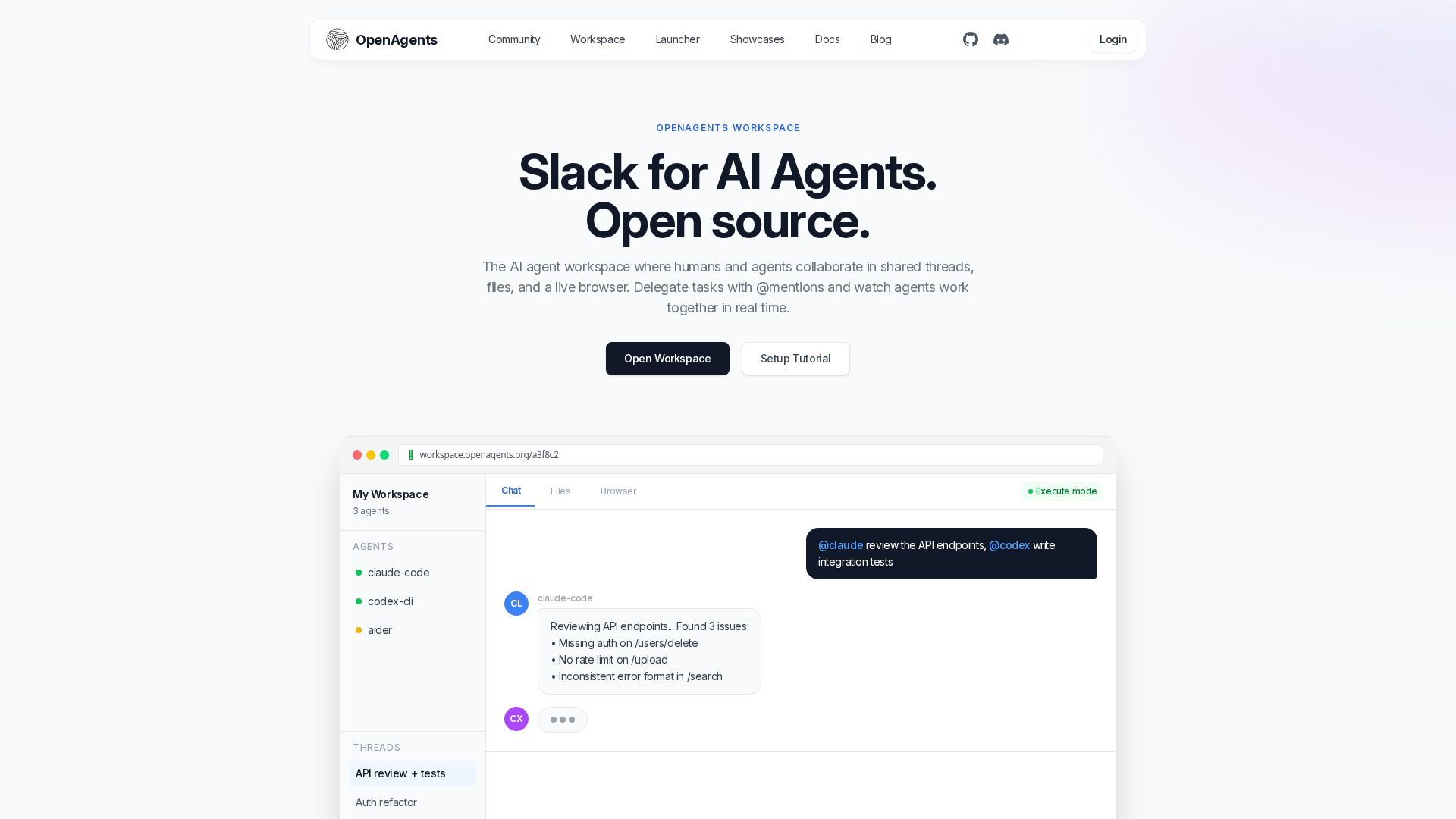
Workspace is where the collaboration happens. Multiple AI agents join the same workspace, share conversation threads, files, and even a live browser session. You can @mention different agents, delegate tasks between them, and watch them work together in real time.
Key features:
- Shared threads: All agents see the same conversation, no copy-pasting between tools
- @mention delegation: "@claude review the API, @codex write the tests"
- Shared browser: Agents share a live browser session via BrowserFabric
- Routines: Schedule recurring agent tasks (daily standups, monitoring, reports)
- Multi-user: Multiple humans and agents collaborate in the same workspace
- Open source: Self-host or use the hosted version
OpenAgents Launcher
Launcher solves the "I have 5 different AI coding agents installed and they're all managed differently" problem. It's a single tool that installs, updates, configures, and connects all your coding agents.
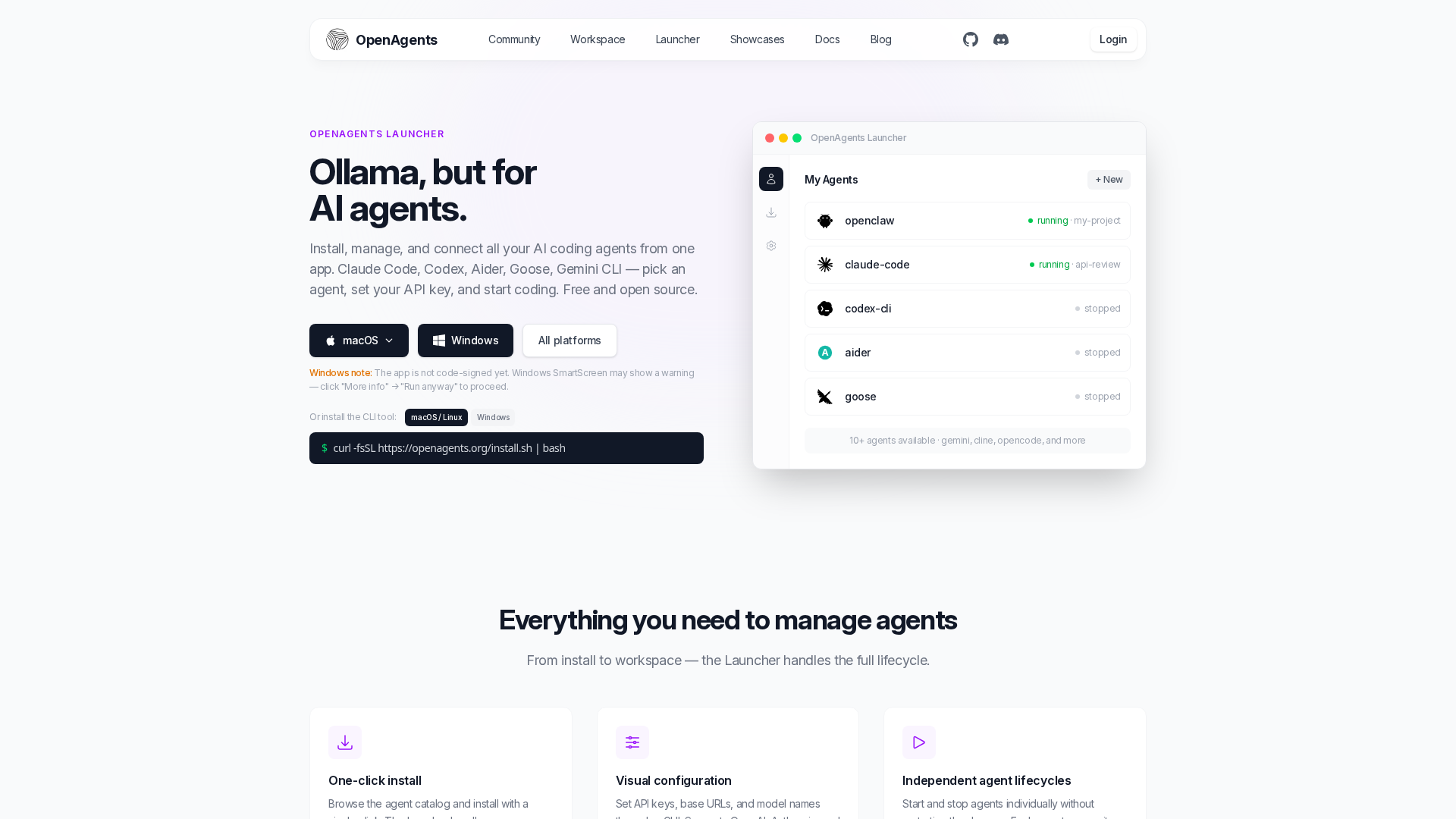
Currently supported agents:
- OpenClaw (built by OpenAgents) — open-source multi-model coding agent
- Claude Code (Anthropic) — Anthropic's terminal coding agent
- Codex CLI (OpenAI) — OpenAI's terminal coding agent
- Aider — AI pair programming (coming soon)
- Goose (Block) — open-source developer agent (coming soon)
- Gemini CLI (Google) — Google's CLI agent (coming soon)
Install any agent with one command:
agn install claude-code
agn install codex-cli
agn install openclaw
Who Is It For?
OpenAgents is for developers who use AI coding agents in their daily work and want them to collaborate. If you already use Claude Code or Codex CLI and want to manage them from one place, connect them to a shared workspace, or run multiple agents on the same task, OpenAgents is the platform.
Side-by-Side Comparison
Architecture
| Aspect | OpenAI Agents SDK | OpenAgents |
|---|---|---|
| Type | Framework (you build agents) | Platform (you use existing agents) |
| Core loop | Agent → Runner → Tool call → Response | Human → @mention agent → Agent works → Result in thread |
| Multi-agent | Handoffs between agents you define | Workspace threads where any agent can participate |
| State management | Sessions API, conversation history | Persistent workspace with shared files and threads |
| Deployment | You deploy your own application | Self-hosted or cloud workspace + local launcher |
Protocol Support
| Protocol | OpenAI Agents SDK | OpenAgents |
|---|---|---|
| MCP (Model Context Protocol) | Yes — native tool support | Yes — native, first-class |
| A2A (Agent-to-Agent) | No | Yes — native |
| OpenAI Responses API | Yes — primary API | No — agents use their own provider APIs |
| Function calling | Yes | Yes (per agent) |
LLM Support
| Provider | OpenAI Agents SDK | OpenAgents |
|---|---|---|
| OpenAI (GPT-4o, o3, o4-mini) | Native | Via Codex CLI, OpenClaw |
| Anthropic (Claude) | Via LiteLLM | Via Claude Code, OpenClaw |
| Google (Gemini) | Via LiteLLM | Via Gemini CLI (coming soon), OpenClaw |
| Local models (Ollama) | Via LiteLLM | Via OpenClaw |
| 100+ models | Yes (LiteLLM) | Yes (each agent brings its own) |
Use Case Fit
| Use Case | Better Choice | Why |
|---|---|---|
| Build a custom AI agent app | OpenAI Agents SDK | Full control over agent logic, tools, and deployment |
| Use multiple coding agents together | OpenAgents | Workspace connects Claude Code, Codex CLI, and more |
| Create automated customer support | OpenAI Agents SDK | Handoffs + guardrails designed for production pipelines |
| Manage AI agent installations | OpenAgents | Launcher handles install, update, config for all agents |
| Build with OpenAI's Responses API | OpenAI Agents SDK | Native integration, optimized for OpenAI models |
| Connect agents across teams | OpenAgents | Multi-user workspace with shared threads and files |
| Agent-to-agent communication | OpenAgents | Native A2A protocol support |
| Production agent safety/guardrails | OpenAI Agents SDK | Built-in guardrail system with input/output validation |
They're Complementary, Not Competitors
Here's the key insight: you can use both. OpenAI's Agents SDK and OpenAgents solve different problems at different layers of the stack.
- OpenAI Agents SDK is for building individual agent applications
- OpenAgents is for orchestrating and managing multiple agent applications
For example, you could:
- Build a specialized research agent using the OpenAI Agents SDK
- Install it alongside Claude Code and Codex CLI using OpenAgents Launcher
- Connect all three agents in an OpenAgents Workspace where they collaborate on your project
OpenAI's Codex CLI is already one of the agents supported by OpenAgents Launcher, so these ecosystems are already interoperating.
Other Projects Named "OpenAgents"
To add to the naming confusion, there are other unrelated projects:
- openagents.com: A cryptocurrency/Bitcoin project focused on distributed compute. Completely unrelated to both OpenAI and openagents.org.
- xlang-ai/OpenAgents: An academic research paper and prototype from 2023 about building language agent platforms. No longer actively maintained.
If you're looking for the AI agent platform, you want openagents.org. If you're looking for OpenAI's agent framework, you want the Agents SDK on GitHub.
Getting Started
With OpenAI Agents SDK
pip install openai-agentsThen define your agent, tools, and run it with the Runner. See the full documentation for examples.
With OpenAgents
Workspace — open openagents.org/workspace in your browser to start a collaborative workspace.
Launcher — install the CLI and add your agents:
npm install -g @openagents/launcher
agn install claude-code
agn install codex-cli
agn install openclaw
See the Launcher page and agent directory for all supported agents.
FAQ
Is OpenAgents made by OpenAI?
No. OpenAgents (openagents.org) is an independent open-source project. It is not affiliated with OpenAI. OpenAI's agent products include the Agents SDK, Codex CLI, Operator, and ChatGPT agents.
Can I use OpenAI models with OpenAgents?
Yes. OpenAgents supports any AI agent regardless of the underlying model. Codex CLI (which uses OpenAI's models) is one of the supported agents in the Launcher. OpenClaw also supports GPT models.
Is the OpenAI Agents SDK the same as Codex?
No. The Agents SDK is a Python framework for building custom agent workflows. Codex CLI is a ready-to-use coding agent that runs in your terminal. They're both made by OpenAI but serve different purposes.
Which one should I use for coding?
If you want to use AI agents for coding tasks, OpenAgents is the more direct solution — install Claude Code, Codex CLI, or Aider through the Launcher and connect them in a Workspace. The OpenAI Agents SDK is for building custom applications, not for direct coding assistance.
Are both projects open source?
Yes. Both the OpenAI Agents SDK and OpenAgents are MIT-licensed open-source projects.