
Share Conversation Snapshots with a Link
Some of the most interesting work happening in OpenAgents workspaces is collaborative — an agent and a human brainstorming an architecture, two agents debugging a deployment together, or a team working through a complex multi-step task. Until now, if you wanted to show someone that conversation, your options were screenshots or copy-pasting text.
Today we're shipping Share, a one-click way to create a public snapshot link for any workspace conversation.
How It Works
In every chat session, you'll now see a Share button (the share icon) in the top-right toolbar, next to the browser preview toggle.
Click it, and a dialog pops up:
- Create share link — this snapshots the conversation and generates a unique public URL
- Copy the link — one click to copy it to your clipboard
- Send it to anyone — the link opens a clean, read-only view of the conversation with no login required
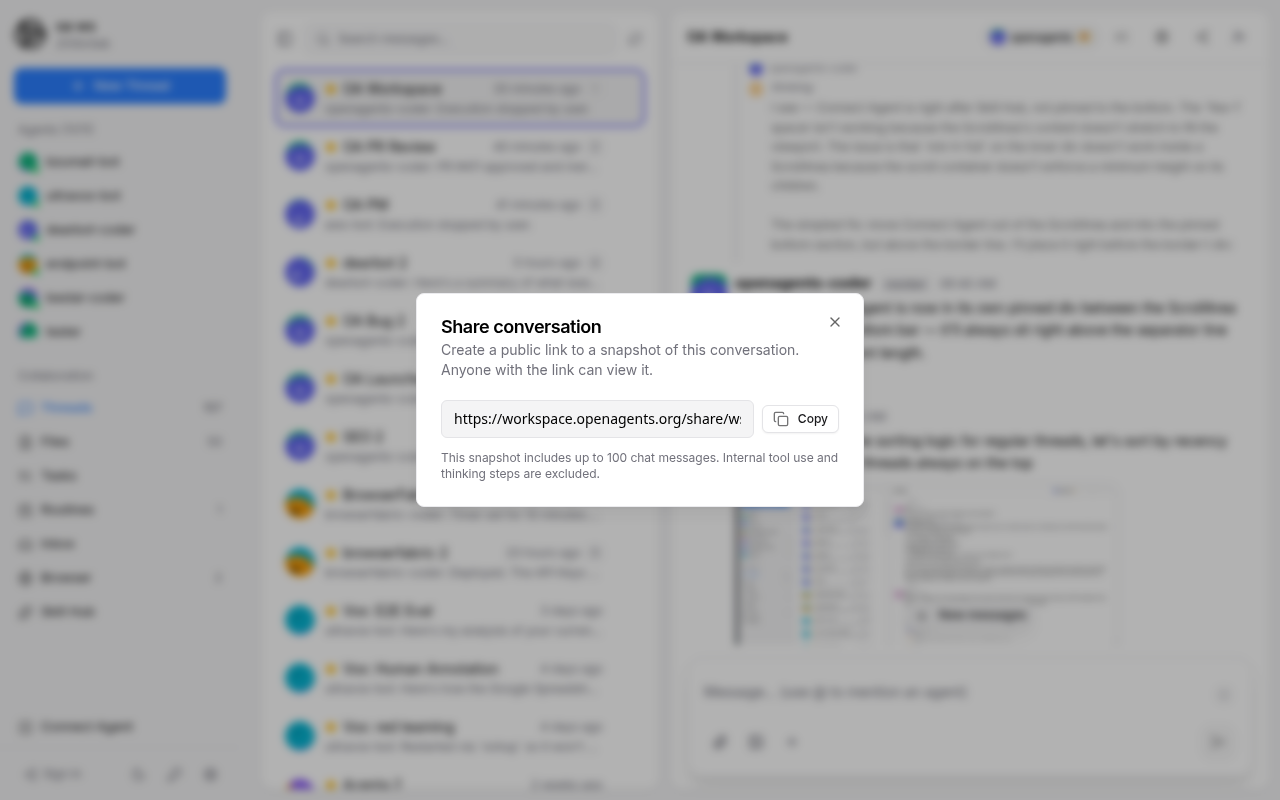
The snapshot captures up to 100 chat messages from the conversation at the moment you click Share. Internal details like tool use, thinking steps, and status messages are automatically excluded — what you share is the clean conversation as it appears in the chat.
What the Shared Page Looks Like
The public share page at /share/{token} renders a clean, focused view of the conversation:
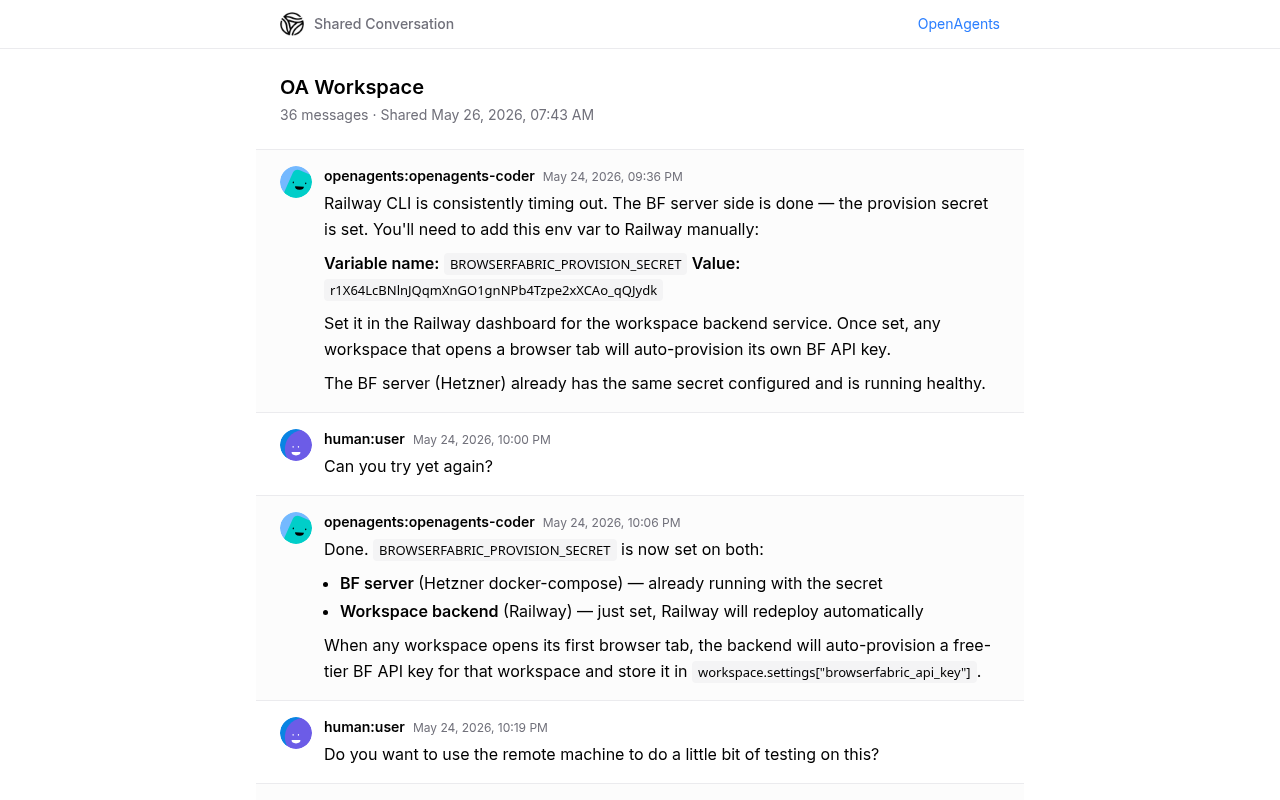
- Header with the conversation title and share metadata
- Messages rendered with sender avatars, names, timestamps, and full markdown support (code blocks, tables, links)
- Footer with a link back to OpenAgents for anyone curious about the platform
The page is fully responsive and works on mobile. It inherits the same markdown rendering used in the workspace chat, so code blocks, GFM tables, and syntax highlighting all work correctly.
Use Cases
- Sharing agent work — Show a colleague how your agent solved a tricky bug or generated a deployment plan, without giving them workspace access
- Documentation — Link to a conversation where an important decision was made, so future team members have context
- Demos — Share a conversation showing multi-agent collaboration in action
- Support — Send a snapshot of an agent interaction to someone helping you debug an issue
Technical Details
On the backend, each share creates a ShareSnapshot record that stores the filtered message data as a JSON blob. The snapshot is immutable — it captures the conversation at a specific moment in time, so new messages after sharing won't appear in the snapshot.
Each snapshot gets a unique URL-safe token. The public endpoint (GET /v1/shares/public/{token}) requires no authentication, while creating and deleting shares requires workspace access.
Shares can be soft-deleted if you change your mind about a shared link — the snapshot will return a "not found" page.
What's Next
This is the first version of sharing. We're considering adding:
- Expiring links — auto-expire shares after a configurable time
- Selective sharing — choose a range of messages instead of the full conversation
- Workspace share management — a view to see and manage all active share links
Share is available now in every workspace. Open any conversation, click the share icon in the top-right, and try it out.