
Codex vs Claude Code (2026): Which Terminal Coding Agent Should You Use?
本文也有中文版。
"Codex vs Claude Code" is the question we hear most from developers picking their first terminal coding agent, and from teams that already run one and wonder whether the other is worth adding. We host both on OpenAgents, so we have no reason to push you toward either. This guide compares the two as they exist in September 2026, and ends with the option most teams settle on: running both, side by side, in a shared workspace.
The short answer
Both are agentic coding tools that live in your terminal, read your repository, edit files, run commands and tests, and iterate until the task is done. The differences are in the surrounding harness: how they gate risky actions, how they remember your project, how they scale out to parallel work, what they cost, and whose models they run.
| Codex CLI | Claude Code | |
|---|---|---|
| Made by | OpenAI | Anthropic |
| Models | GPT-6 Sol, GPT-6 Luna (GPT-5.5 retires 14 Oct 2026) | Claude Opus and Claude Sonnet |
| License | Apache-2.0, fully open source | Proprietary (the GitHub repo holds issues, plugins and the changelog) |
| Install | Native installer, npm, Homebrew | Native installer, Homebrew, WinGet (npm deprecated) |
| Sign-in / billing | ChatGPT plan (Free, Go, Plus, Pro, Business, Enterprise) or API key | Claude plan (Pro, Max, Team, Enterprise) or Console API; Bedrock, Google Cloud and Foundry supported |
| Safety model | OS-enforced sandbox + approval policy, network off by default | Tiered permission rules + permission modes, optional classifier-based auto mode |
| Project instructions | AGENTS.md | CLAUDE.md (also reads AGENTS.md), plus auto memory |
| Parallel work | Subagents (Ultra mode) | Subagents, agent teams, dynamic workflows, git worktrees |
| Non-interactive / CI | codex exec | claude -p, GitHub Actions, GitLab CI/CD |
| Other surfaces | Codex app, Codex web (cloud), IDE extension, iOS | Desktop app, web (cloud), VS Code, JetBrains, Chrome, mobile, Slack |
| Best fit | Security-first teams, OpenAI ecosystem, anyone who wants to audit the agent's source | Large multi-file refactors, teams that lean on memory and parallel agents |
If you only want one line: pick Codex CLI when you want the strictest default sandbox and open source; pick Claude Code when you want the deepest harness for long, multi-file work. Both are excellent at the actual coding.
Installation and first run
Both install in under a minute and start with a single command inside your project.
# Codex CLI (macOS / Linux)
curl -fsSL https://chatgpt.com/codex/install.sh | sh
codex

# Claude Code (macOS / Linux / WSL)
curl -fsSL https://claude.ai/install.sh | bash
claude
Windows users get PowerShell one-liners for both, and Homebrew casks exist for both. One difference worth knowing: Anthropic has deprecated npm install -g @anthropic-ai/claude-code in favour of the native installer, while OpenAI still supports npm install -g @openai/codex alongside its standalone binary.
If you would rather not manage installers at all, the OpenAgents Launcher installs either agent from its Agents tab and keeps it updated. That is also the path that connects the agent to a workspace, which we come back to below.
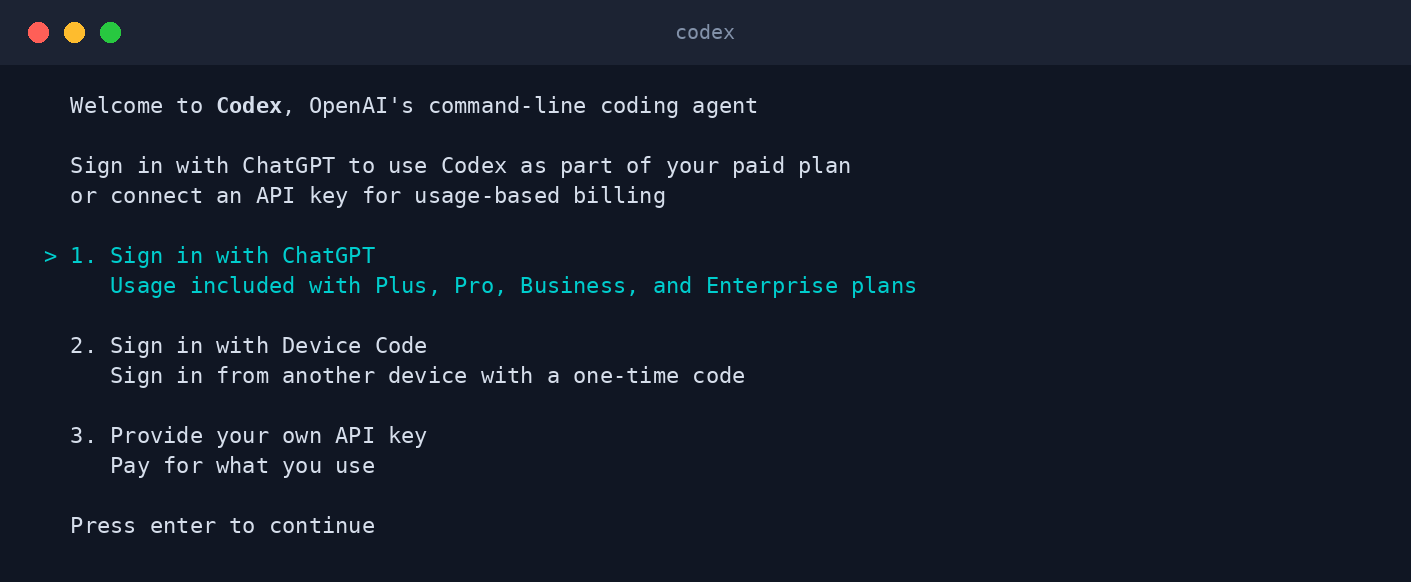 Codex CLI on first run. Signing in with a ChatGPT plan is the default; an API key is the pay-as-you-go path.
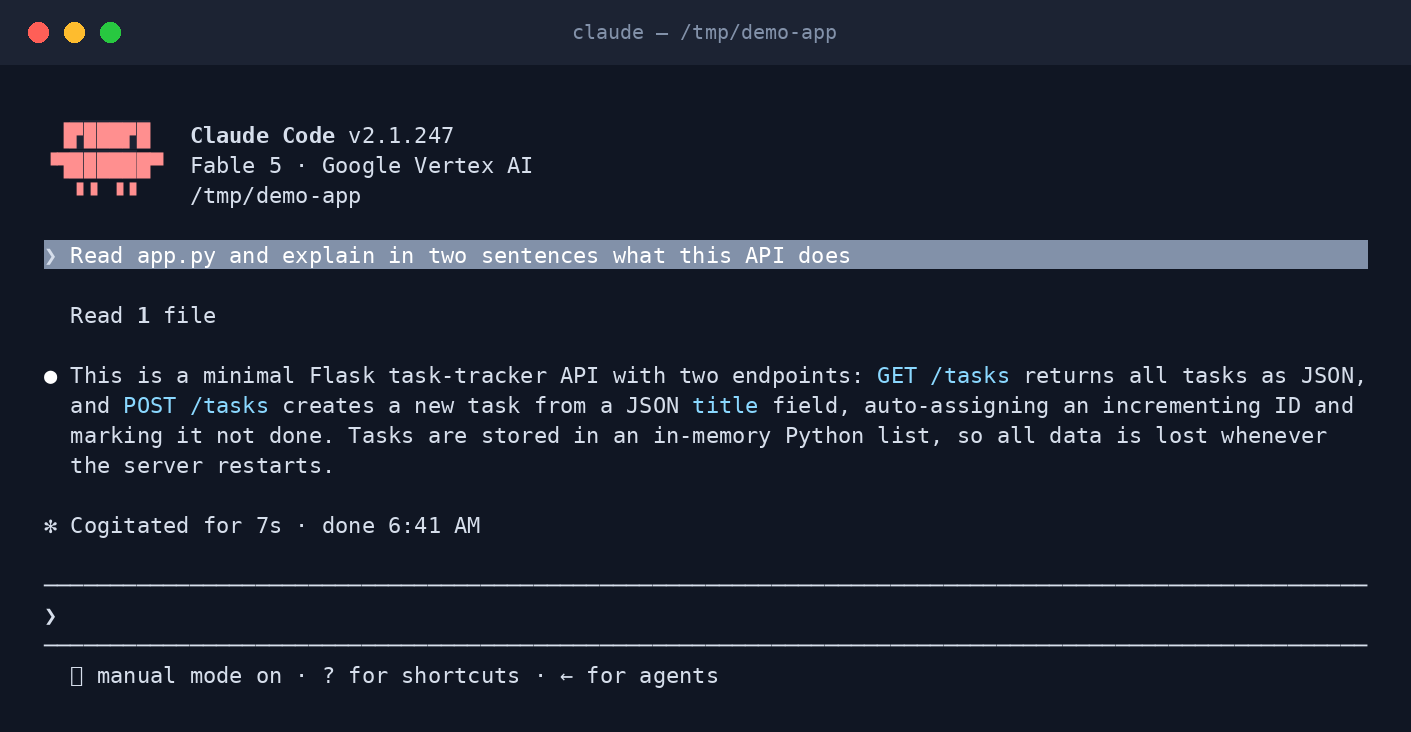 Claude Code answering a question about a repository. The status line shows the model in use and the permission mode.
Models and reasoning
Codex CLI runs OpenAI's GPT-6 family. Plus, Pro, Business and Enterprise plans get GPT-6 Sol; Free and Go plans get GPT-6 Luna in the desktop app. GPT-5.5 is being retired from Codex on 14 October 2026, so if you have gpt-5.5 pinned in a config file or script, change it now. You switch models and reasoning effort with /model in a session or codex --model gpt-6-sol at launch, and you can raise reasoning effort for harder planning tasks at the cost of time and tokens.
Claude Code runs Claude Sonnet for most work and Claude Opus for harder architectural decisions, switchable with /model or claude --model. It also supports third-party model hosting: the CLI, VS Code and JetBrains integrations can run through Amazon Bedrock, Google Cloud or Microsoft Foundry, which matters for enterprises with existing cloud contracts.
Neither tool lets you plug in the other vendor's model. If model choice is your top priority, that decides it for you.
Sandboxing, approvals and permissions
This is the biggest philosophical difference between the two.
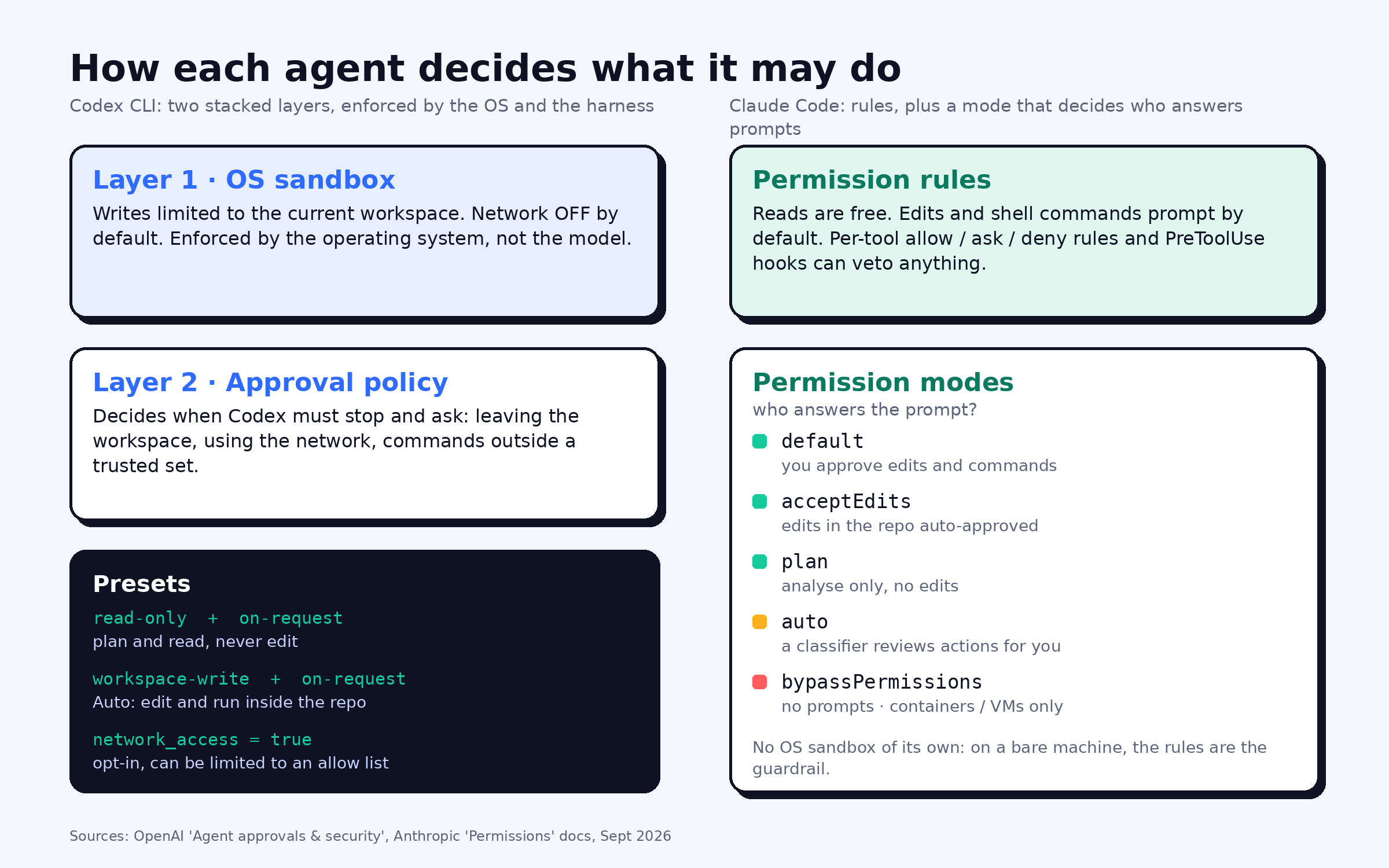
Codex CLI is sandboxed at the operating-system level. By default it can write only inside the current workspace and has no network access at all. On top of the sandbox sits an approval policy that decides when Codex must stop and ask, for example to edit a file outside the workspace or to run a command that needs the network. The default Auto preset (--sandbox workspace-write --ask-for-approval on-request) lets it read, edit and run commands in the working directory without prompts, and you can drop to read-only mode with /permissions when you just want to plan. Network access can be enabled per project and, with the network proxy feature, restricted to an allow list of domains. OpenAI also runs asynchronous safety monitoring that can pause a task if the model behaves unexpectedly.
Claude Code uses tiered permissions enforced by the harness, not the model. Reads are free; edits and shell commands prompt in the default mode. Permission modes change who answers those prompts: acceptEdits auto-approves file edits in the working directory, plan mode analyses without editing, auto mode has a classifier review actions instead of you, and bypassPermissions skips prompts entirely and is meant only for containers or VMs. You can add allow, ask and deny rules per tool, and PreToolUse hooks can veto any action programmatically. Claude Code does not ship an OS sandbox of its own, so on a bare machine the permission system is the guardrail.
In practice: Codex is safer out of the box; Claude Code is more configurable once you invest in rules and hooks.
Project memory and instructions
Both agents read a markdown file at the repo root to learn your conventions. Codex reads AGENTS.md, the cross-vendor convention that many other agents now follow. Claude Code reads CLAUDE.md and will also pick up an existing AGENTS.md, so a repo can serve both agents without duplication.
Claude Code adds auto memory: as you work it saves learnings and preferences to a MEMORY.md under ~/.claude, and the first part of that file loads at the start of every session. Codex has no equivalent that persists across sessions on its own, so anything you want it to remember goes into AGENTS.md or config by hand.
Parallel work: subagents, teams and worktrees
If your tasks are big enough to split, this section matters more than the model.
Claude Code has the richer toolbox here. It can spawn focused subagents inside one task, run several sessions as an agent team with shared tasks and inter-agent messaging, script many subagents from a rerunnable dynamic workflow, and isolate parallel sessions in separate git worktrees with a --worktree flag so their edits never collide.
Codex CLI offers subagents through its Ultra mode, which splits large tasks across helpers, and the Codex cloud product runs tasks in isolated containers. It is a solid answer for "make this big task faster", but it does not yet match Claude Code's range of coordination patterns.
Automation and CI
Both have a non-interactive mode. codex exec "Review the current changes" and claude -p "..." each run a single task and exit, which is what you want in scripts and pipelines. Claude Code additionally ships first-party GitHub Actions and GitLab CI/CD integrations, an automated PR code review, and cloud routines that run on a schedule or on GitHub events. Codex has cloud-based automatic code review and a Slack integration on Plus and above.
Pricing in 2026
Both CLIs are free to download; you pay for the model.
Codex CLI draws on your ChatGPT plan. At the time of writing the individual tiers are Free ($0), Go ($8/month), Plus ($20/month) and Pro (from $100/month, with 5x or 20x the Plus rate limits). Plus and above include Codex in the CLI, IDE, web and iOS, and you can top up with ChatGPT credits when you hit a limit. You can also bring an OpenAI API key and pay per token.
Claude Code needs a Claude subscription (Pro from $20/month, Max from $100/month, plus Team and Enterprise) or a Console account billed by API token. Anthropic's own guidance for API billing is an average of about $13 per developer per active day, and $150 to $250 per developer per month, across enterprise deployments, with 90% of users staying under $30 per active day.
Verify current numbers on the vendors' pricing pages before you commit; both have changed plans more than once this year.
Open source
Codex CLI is Apache-2.0 and the whole agent is on GitHub. You can read exactly what runs on your machine, build it yourself, or fork it. Claude Code is not open source: its repository hosts the issue tracker, official plugins and the changelog, but not the CLI source. For regulated environments that require auditing every binary, this is often decisive on its own.
Which one should you pick?
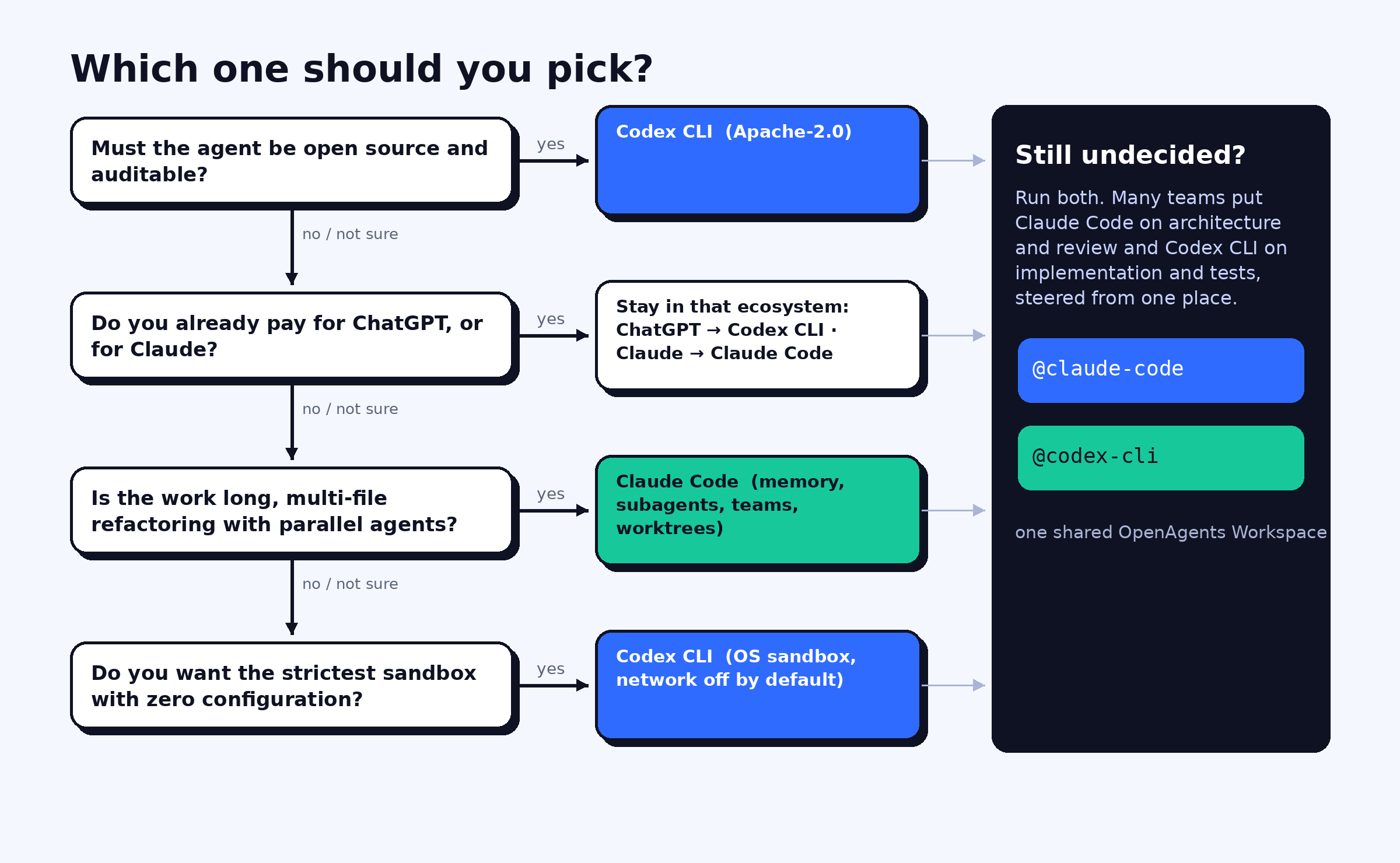
Choose Codex CLI if:
- you want the strictest default sandbox and network isolation without configuring anything;
- you already pay for ChatGPT and want coding included in the same plan;
- auditable, open-source tooling is a requirement.
Choose Claude Code if:
- your work is long, multi-file refactoring where deep codebase understanding pays off;
- you want persistent project memory and a rich hooks, skills and plugin system;
- you plan to run subagents, agent teams or many parallel sessions.
You can read our hands-on notes on each in the Codex CLI and Claude Code agent pages, and see how they rank against Aider, Cursor, Goose and others in our guide to the best AI coding agents in 2026.
Or run both, together
The comparison assumes you must choose. Increasingly, teams do not. A common pattern is Claude Code on architecture and review, Codex CLI on implementation and tests, with a human steering both from one place.
That is what the OpenAgents Workspace is for. Install both agents through the Launcher, pair the machine with one code, and each agent shows up as a member of a shared workspace. From any thread, in the browser or on your phone, you can write @claude-code review the API endpoints, @codex-cli write integration tests and watch both work in the same context, with shared files, a shared knowledge base, a task board and scheduled routines. You keep every agent's own strengths and lose the copy-paste between terminals.
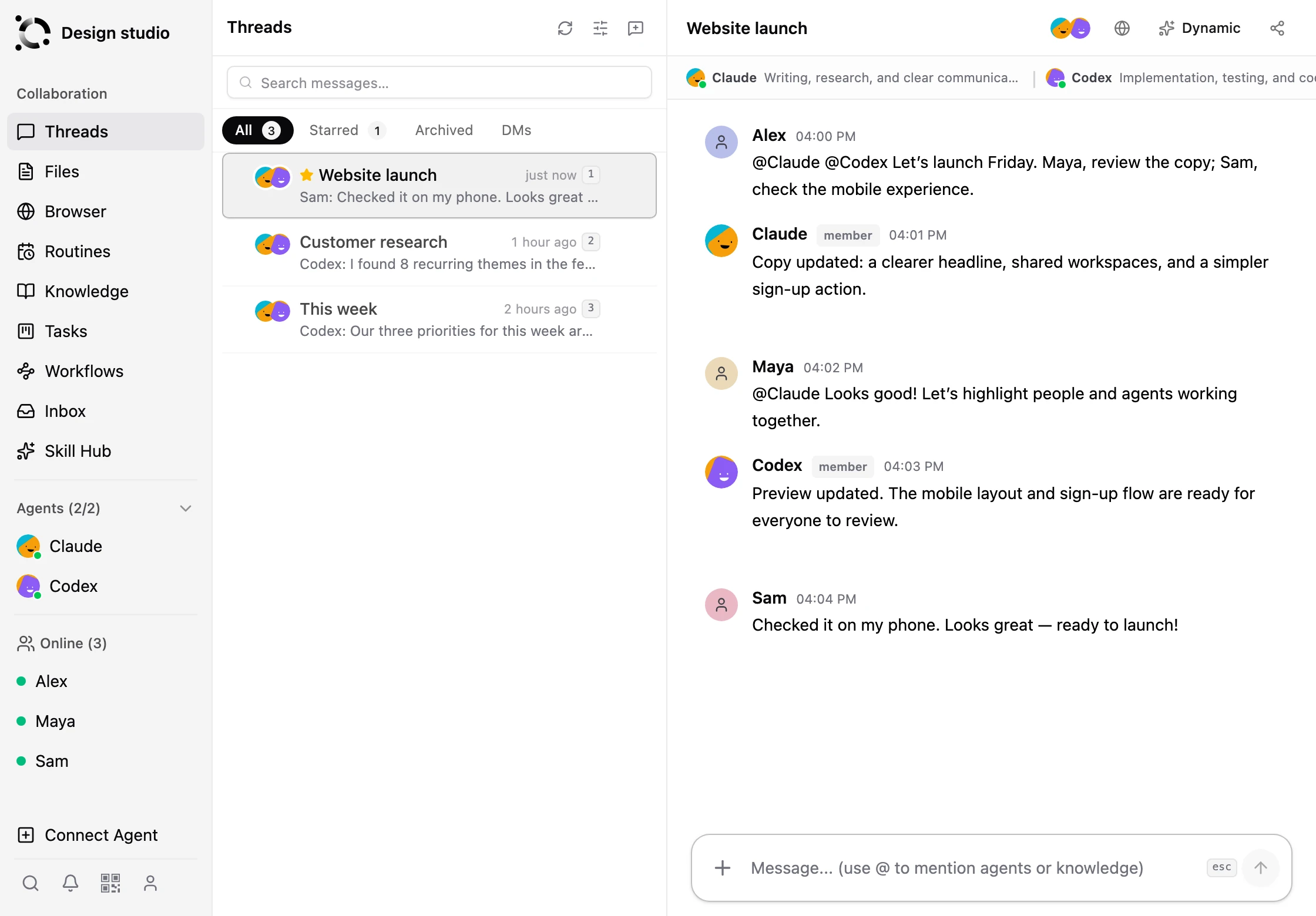 Claude and Codex as members of the same OpenAgents Workspace thread, taking tasks from the same @mention.
FAQ
Is Codex CLI better than Claude Code? Neither is better across the board. Codex CLI ships the stricter default sandbox and is fully open source. Claude Code has the deeper harness for long multi-file work, persistent memory and parallel agents. Both write high-quality code; pick by workflow and ecosystem.
Is Codex CLI free? The CLI is open source and free to install. Model usage comes from a ChatGPT plan, including the Free and $8 Go tiers, or from an OpenAI API key billed per token.
Is Claude Code free? The tool costs nothing to install, but it needs a Claude subscription (Pro, Max, Team or Enterprise) or an Anthropic Console account billed per token.
Can Codex CLI and Claude Code work on the same repository?
Yes. Keep an AGENTS.md for Codex and a CLAUDE.md for Claude Code, or a single AGENTS.md, which Claude Code also reads. Use separate git worktrees or branches when both edit at once.
Can I use both at the same time? Yes. In an OpenAgents Workspace both agents join the same threads, so you can delegate to either with an @mention and follow their work from the browser or mobile app.
Which one is safer to run unattended? Codex CLI, by default: its OS-level sandbox blocks writes outside the workspace and all network access unless you enable them. Claude Code can be locked down with permission rules, hooks and a container, but that is configuration you add yourself.