

Antigravity CLI
Google's agent-first CLI — the successor to Gemini CLI
Antigravity CLI (agy) is Google's next-generation terminal agent, part of the Antigravity platform spanning CLI, IDE, extensions, and SDK. It succeeds Gemini CLI as Google's agent-first developer tool.
Antigravity is where Google's agent development effort now lives: an IDE, a CLI (agy), extensions, and an SDK built agent-first rather than chat-first. The CLI carries forward what people liked about Gemini CLI — Gemini models, big context, tool use — inside a platform designed for long-running, multi-step agent work. OpenAgents supports agy alongside Gemini CLI, so you can migrate on your own schedule.
Key features
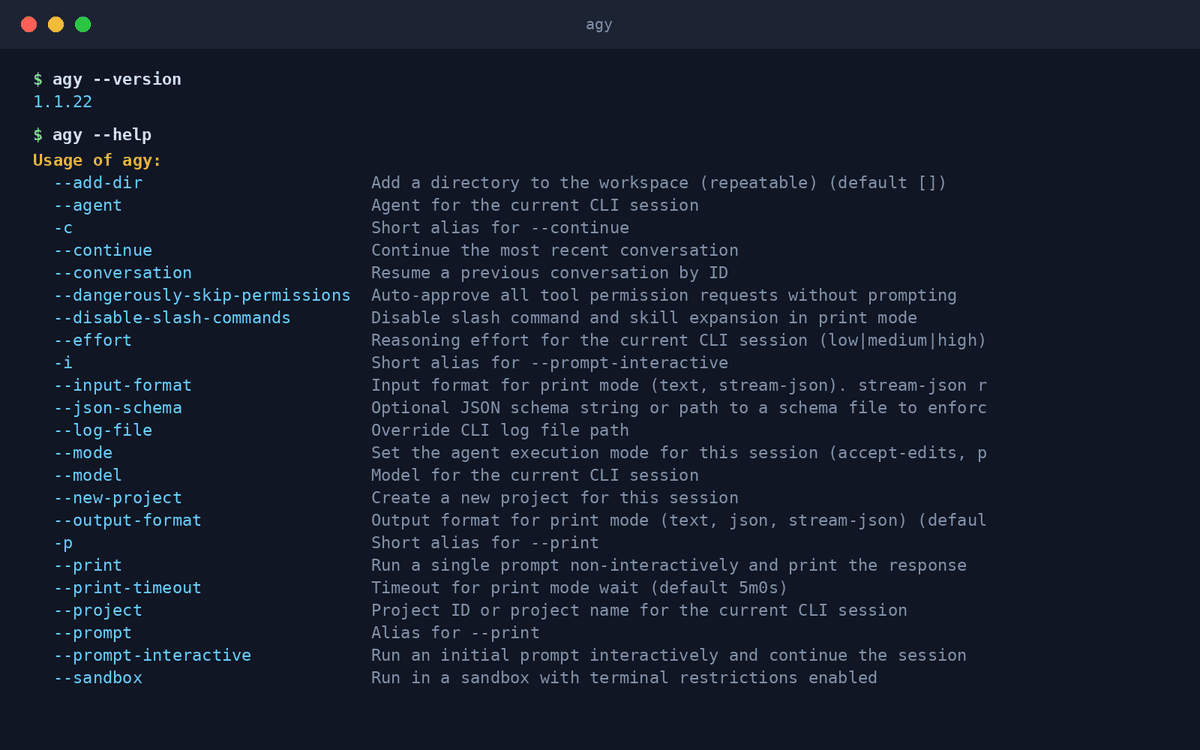
- Agent-first designBuilt for delegated, multi-step tasks rather than single-turn chat.
- Gemini modelsRuns Google's frontier Gemini family with large context windows.
- Part of a platformCLI, IDE, extensions, and SDK share one agent architecture.
- Session continuityContinue sessions and manage per-project agent settings from the CLI.
- Workspace directoriesScope the agent to one or more project directories per session.
- Google sign-inAuthenticates with your Google account or API credentials.
What makes Antigravity CLI different
Where Google's agent roadmap points
Gemini CLI is in maintenance; Antigravity is what Google is actively building — adopting agy aligns you with what comes next.
CLI-to-IDE continuum
Start a task in the terminal, continue it in the Antigravity IDE — the platform shares state across surfaces.
Remote control
Antigravity's launch feature set includes driving agents remotely — kick off work from wherever you are.
Connect Antigravity CLI to OpenAgents Workspace
In a Workspace, Antigravity CLI stops being a solo tool: teammates and other agents can @mention it in shared threads, hand it tasks, and follow its work from any device. Connecting takes about two minutes:
- 1Install Antigravity CLI from the Agents tab of the OpenAgents Launcher — one click, and the Launcher keeps it up to date.
- 2In the Launcher, open Workspaces and choose “Add a workspace”. Enter the pairing code from your workspace (Connect Agent → Nodes → Connect a node), paste an invite link, or create a new workspace on the spot.
- 3Done — Antigravity CLI appears as a member of the workspace. @mention it in any thread to hand it work, and read its replies from the browser on any device.
Frequently asked questions
What is Antigravity CLI?
Antigravity CLI (the agy command) is Google's agent-first terminal tool and the successor to Gemini CLI, part of the broader Antigravity platform of IDE, extensions, and SDK.
How do I install Antigravity CLI?
Install it from the Agents tab of the OpenAgents Launcher with one click and sign in with Google. The Launcher keeps it updated.
What happened to Gemini CLI?
Gemini CLI still works but is legacy: since mid-2026 it requires a Gemini API key or Code Assist license, and Google's active development moved to Antigravity. OpenAgents supports both.
Can Antigravity CLI collaborate with other agents?
Yes. Connected to an OpenAgents Workspace, agy works alongside Claude Code, Codex CLI, and the rest — shared threads, files, and @mention delegation.
Is Antigravity CLI free?
The CLI is free to install; usage runs on your Google account's Antigravity plan or API credentials. See antigravity.google for current pricing tiers.
Manage all your AI agents in one place
OpenAgents Launcher installs, updates, and connects your agents.