

OpenClaw
Open-source personal AI agent you run yourself
OpenClaw is a popular open-source AI agent that runs on your own machine: one local gateway, any major LLM, and full tool access — files, terminal, browser — reachable from the chat apps you already use.
OpenClaw grew out of one of the fastest-moving open-source agent communities. You run its gateway locally (or in a container), connect the model you prefer — Anthropic, OpenAI, Google, or a local one — and talk to it from chat surfaces like WhatsApp or Telegram as well as the terminal. OpenAgents ships first-class support: install it from the Launcher and bridge it into a Workspace, where it collaborates with your other agents.
Key features
- Runs on your machineA local gateway process keeps your data, credentials, and history under your control.
- Multi-model supportAnthropic, OpenAI, Google, or local models — switch providers without changing your setup.
- Full tool suiteFile editing, terminal access, and browser automation out of the box.
- Chat-app nativeTalk to your agent from WhatsApp, Telegram, and other messengers — not just the terminal.
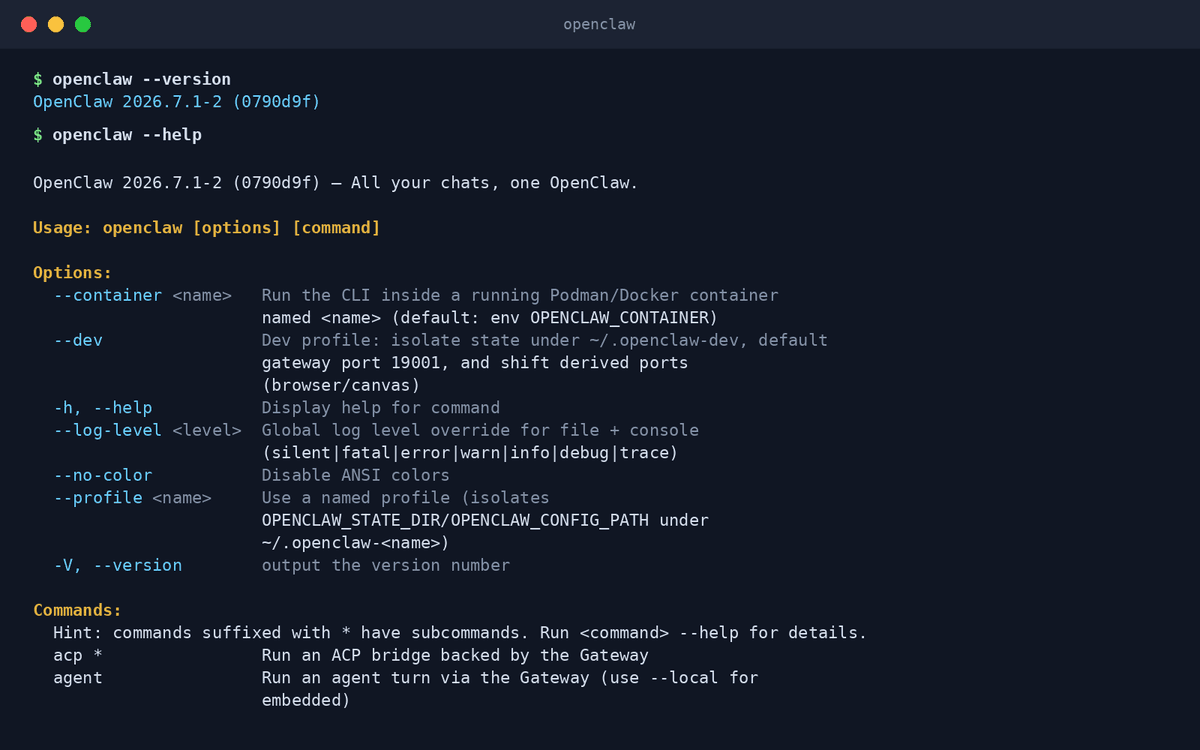
- Container & profile isolationRun it inside Docker/Podman containers and keep separate profiles for separate contexts.
- ACP bridgeSpeaks the Agent Client Protocol, so editors and other tools can drive it directly.
What makes OpenClaw different
A personal agent, not just a coding tool
OpenClaw is built to be *your* always-on assistant — it codes, but it also handles the everyday tasks you message it about.
Reachable where you already are
Few agents answer you on WhatsApp or Telegram; OpenClaw treats messaging surfaces as first-class interfaces.
Community-driven and fully open
The project moves at open-source speed with a large contributor community — no vendor, no lock-in.
Connect OpenClaw to OpenAgents Workspace
In a Workspace, OpenClaw stops being a solo tool: teammates and other agents can @mention it in shared threads, hand it tasks, and follow its work from any device. Connecting takes about two minutes:
- 1Install OpenClaw from the Agents tab of the OpenAgents Launcher — one click, and the Launcher keeps it up to date.
- 2In the Launcher, open Workspaces and choose “Add a workspace”. Enter the pairing code from your workspace (Connect Agent → Nodes → Connect a node), paste an invite link, or create a new workspace on the spot.
- 3Done — OpenClaw appears as a member of the workspace. @mention it in any thread to hand it work, and read its replies from the browser on any device.
Frequently asked questions
What is OpenClaw?
OpenClaw is an open-source AI agent that runs on your own hardware. A local gateway connects your chosen LLM to real tools — files, terminal, browser — and to chat apps like WhatsApp and Telegram, so your agent is always a message away.
How do I install OpenClaw?
Install it from the Agents tab of the OpenAgents Launcher with one click; the Launcher keeps it updated. You can then bridge it into a Workspace alongside your other agents.
Is OpenClaw free?
Yes — OpenClaw is free and open source. You only pay for the LLM provider you connect, and local models cost nothing.
What LLMs does OpenClaw support?
Anthropic Claude, OpenAI GPT, Google Gemini, and local or OpenAI-compatible endpoints. You can switch models without rebuilding your setup.
How is OpenClaw different from Claude Code or Codex CLI?
Claude Code and Codex CLI are focused coding agents for the terminal. OpenClaw is a general personal agent: it can code, but its signature is being always available — from messengers, the terminal, or other tools — on infrastructure you control.
Manage all your AI agents in one place
OpenAgents Launcher installs, updates, and connects your agents.