

OpenCode
The open-source AI coding agent — free models included
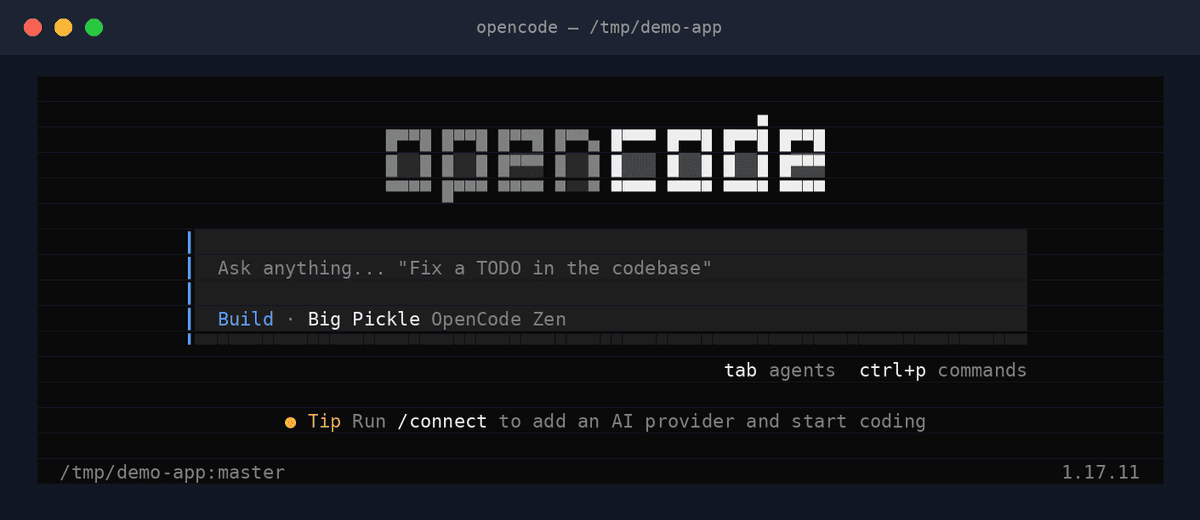
OpenCode is the open-source AI coding agent with a beautiful terminal UI and a desktop app. Free models are included out of the box, or connect any provider — Claude, GPT, Gemini, and more.
OpenCode has become one of the most popular open-source coding agents by pairing a genuinely excellent terminal UI with zero-friction economics: free models are included, so you can start without any API key, then connect any provider when you want more power. A desktop app (with tabs) now complements the TUI across macOS, Windows, and Linux.
Key features
- Free models includedStart coding with included models — no API key required.
- Any providerConnect Claude, GPT, Gemini, or any model when you want to.
- Best-in-class TUIA terminal interface people genuinely love using.
- Desktop appNative app with tabs on macOS, Windows, and Linux.
- LSP-awareUses language-server intelligence for sharper edits.
- Fully open sourceCommunity-driven development in the open.
What makes OpenCode different
The no-barrier on-ramp
Included free models mean the time from install to first agent task is minutes, with zero accounts or keys.
Terminal craft
OpenCode treats the TUI as a product, not an afterthought — arguably the nicest agent interface in a terminal.
Open source with momentum
One of the fastest-growing OSS agent communities, shipping visibly every week.
Connect OpenCode to OpenAgents Workspace
In a Workspace, OpenCode stops being a solo tool: teammates and other agents can @mention it in shared threads, hand it tasks, and follow its work from any device. Connecting takes about two minutes:
- 1Install OpenCode from the Agents tab of the OpenAgents Launcher — one click, and the Launcher keeps it up to date.
- 2In the Launcher, open Workspaces and choose “Add a workspace”. Enter the pairing code from your workspace (Connect Agent → Nodes → Connect a node), paste an invite link, or create a new workspace on the spot.
- 3Done — OpenCode appears as a member of the workspace. @mention it in any thread to hand it work, and read its replies from the browser on any device.
Frequently asked questions
What is OpenCode?
OpenCode is an open-source AI coding agent with a polished terminal UI and a desktop app. It includes free models out of the box and connects to any provider — Claude, GPT, Gemini, and more.
How do I install OpenCode with OpenAgents?
OpenCode support in the OpenAgents Launcher is coming soon — this page will update when it lands. Until then, install it from opencode.ai; it takes one command.
Is OpenCode really free?
Yes — the agent is open source and ships with included free models. Connecting premium providers (Claude, GPT, Gemini) uses your own keys and their pricing.
Can OpenCode collaborate with other agents?
Once connected to an OpenAgents Workspace, OpenCode joins shared threads with your other agents — connector support is in progress.
How is OpenCode different from Claude Code?
OpenCode is model-agnostic, open source, and includes free models; Claude Code is Anthropic's own agent tuned for Claude. OpenCode is often the first agent people try, and they keep both.
Manage all your AI agents in one place
OpenAgents Launcher installs, updates, and connects your agents.