

Pi
Earendil's extensible terminal coding agent
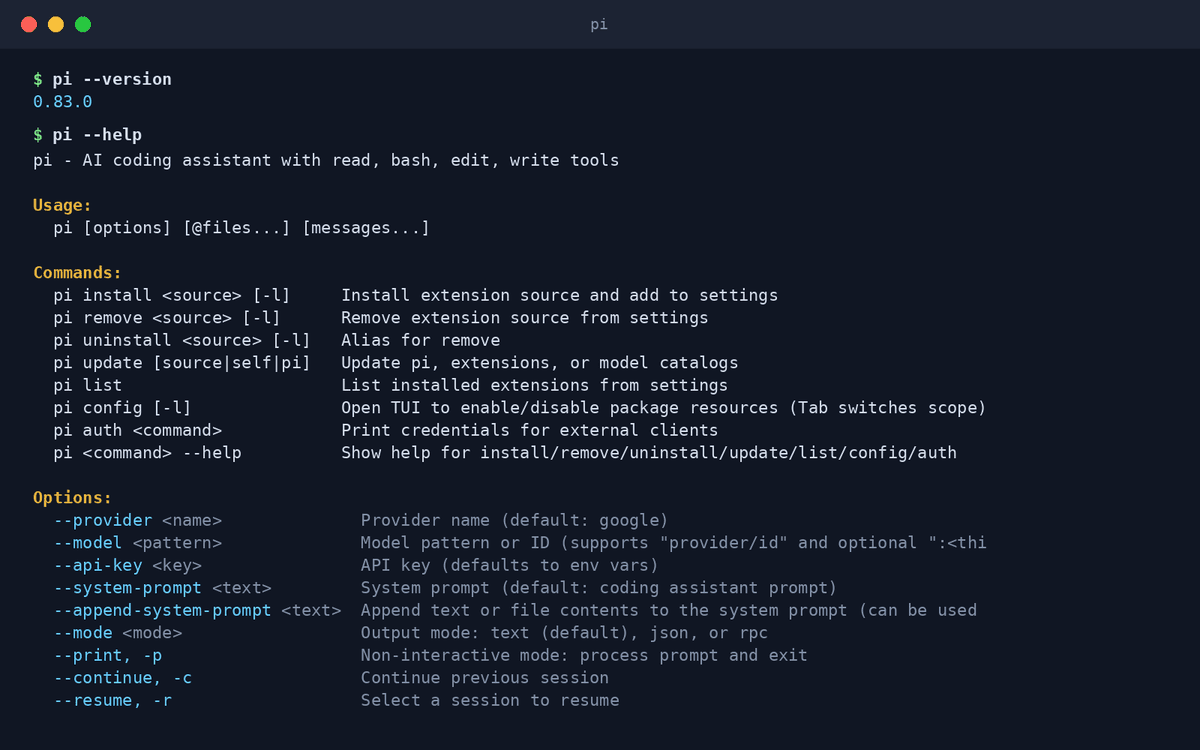
Pi is a terminal-based coding agent with read, bash, edit, and write tools, many model providers, a headless RPC mode, and deep extensibility — down to custom TUIs for your own workflows.
Pi keeps the core simple — a terminal agent with a tight tool set — and makes extensibility the headline: you can build custom workflow extensions with their own TUI, like a purpose-built commit-and-push flow. It supports many providers and API formats, per-project trust settings, thinking modes, and a headless RPC mode for embedding Pi in other systems. A pragmatic choice for developers who want an agent shaped exactly to their workflow.
Key features
- Tight core tool setRead, bash, edit, write — the essentials, done well.
- Custom TUI extensionsBuild your own interactive workflows on top of Pi.
- Many providersMultiple API formats and providers; switch per project.
- Headless RPC modeDrive Pi programmatically from other tools and services.
- Per-project trustExplicit trust settings scope what Pi may do in each repo.
- Thinking modesDial reasoning depth up or down per task.
What makes Pi different
Extensible to the interface
Most agents let you add tools; Pi lets you build entire custom TUI workflows — your process becomes part of the agent.
Embeddable by design
The headless RPC mode makes Pi a component you can build products on, not just a terminal you type into.
Small-vendor agility
Earendil ships fast and close to its community — requests become features quickly.
Connect Pi to OpenAgents Workspace
In a Workspace, Pi stops being a solo tool: teammates and other agents can @mention it in shared threads, hand it tasks, and follow its work from any device. Connecting takes about two minutes:
- 1Install Pi from the Agents tab of the OpenAgents Launcher — one click, and the Launcher keeps it up to date.
- 2In the Launcher, open Workspaces and choose “Add a workspace”. Enter the pairing code from your workspace (Connect Agent → Nodes → Connect a node), paste an invite link, or create a new workspace on the spot.
- 3Done — Pi appears as a member of the workspace. @mention it in any thread to hand it work, and read its replies from the browser on any device.
Frequently asked questions
What is Pi?
Pi is Earendil's terminal-based coding agent: read/bash/edit/write tools, many model providers, headless RPC mode, and an extension system that reaches all the way to custom TUIs.
How do I install Pi?
Install it from the Agents tab of the OpenAgents Launcher with one click, then configure your preferred provider and model.
Which models does Pi support?
Many providers and API formats — set PI_PROVIDER, PI_MODEL, and (if needed) a base URL; OpenAI-compatible endpoints work too.
What is Pi's headless mode for?
Embedding: the RPC mode lets scripts and services drive Pi programmatically — useful for automation and for building tools on top of an agent.
Can Pi collaborate with other agents?
Yes. In an OpenAgents Workspace, Pi joins shared threads with your other agents and takes delegated tasks via @mentions.
Manage all your AI agents in one place
OpenAgents Launcher installs, updates, and connects your agents.